▲ PEAK CLIENT
PEAK MOD CLIENT

Peak Client

Includes Flight, Item spawning, Brute forcing room codes, Spoofing, Auto-killing, Username scrambling, and even playing the bugle like a master, for everyone to hear.

Unlock every achievement, belt, and outfit from F1 → Player → Unlock all (permanent).

Peak Client is a live-service mod with ongoing updates and new features added regularly.

$5USD / month
Cancel anytime

Renews monthly until canceled. One active device per license.
Requires the Steam version of PEAK on Windows and BepInEx.
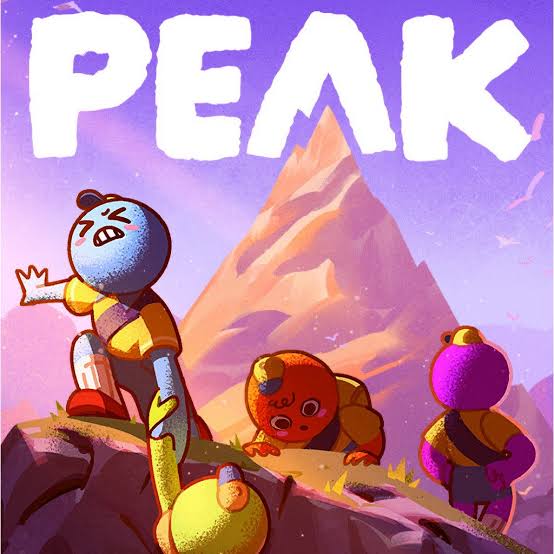
PEAK game artwork showing four climbers on a mountain
Made for PEAK

Features

Flight

  • Toggle flight on and off.
  • Move forward, backward, left, right, up, and down.
  • Adjust flight speed.
  • Hold a key for flight boost.
  • Use hold keys or toggle movement from the menu.

Player controls

  • Spawn items from a searchable item menu.
  • Revive your character.
  • Ragdoll a nearby player.
  • Toggle self-protection against supported damage and network effects.
  • Clear status effects and refill stamina continuously.
  • Set your own username from Player > Custom username, or use automatic username scrambling.
  • See your current scrambled name on screen.
  • Toggle kick retaliation.
  • Select individual players or all players in the kill menu.
  • Kill selected players.
  • Toggle auto-kill for selected players.
  • Permanently unlock achievements, belts, and clothes.

Room code search

  • Brute force six-letter room codes in available regions.
  • Uses 100 parallel connections by default and can find lobbies in under a minute.
  • Start and stop the search with a keybind or the menu.
  • Set the delay between checks and the request timeout.
  • See codes tried, checks in progress, and average checks per second.
  • Copy a found room code from the menu.
  • Join a room found by the search. A room can fill or close before the join finishes.

Bugle playback

  • Play any of the 24 songs listed below.
  • Toggle between an orbiting band and a band at your held bugle.
  • Keep the held bugle equipped while climbing walls, ropes, or vines.
  • Assign a separate keybind to each song.
  • All song scores are included in the DLL.

Menu and keybinds

  • Open ClickGUI with F1 or its clickable HUD button.
  • Search the menu by feature name.
  • Assign, change, or remove action keybinds.
  • Use Ctrl, Alt, and Shift key combinations.
  • Reset bindings to their defaults.
  • Keep your saved bindings and settings between updates.
  • See assigned shortcuts in the top-right HUD, with a green dot for active actions.
  • Movement, ascend, and descend bindings stay out of the HUD but remain configurable.

Subscription

  • $5 USD per month.
  • One active device and one running game session per license.
  • Download the client with an active license.
  • Manage payment details and cancel through Stripe.
  • Move your license to another device using the device reset option.

Every bugle song

24 songs included in the client.

  1. SAIL
  2. Sweden - C418
  3. Thomas the Tank Engine / Thick of It
  4. Take On Me - a-ha
  5. The Final Countdown - Europe
  6. Never Gonna Give You Up - Rick Astley
  7. He's a Pirate - Pirates of the Caribbean
  8. Lost Woods - The Legend of Zelda
  9. Africa - Toto
  10. Hall of Fame - The Script ft. will.i.am
  11. Viva La Vida - Coldplay
  12. Careless Whisper - George Michael
  13. Eye of the Tiger - Survivor
  14. Sweet Caroline - Neil Diamond
  15. Livin' on a Prayer - Bon Jovi
  16. The Imperial March - Star Wars
  17. Remember the Name - Fort Minor
  18. Bad Piggies Theme
  19. Knee Socks - Arctic Monkeys
  20. Do I Wanna Know? - Arctic Monkeys
  21. The Seven Seas - F-777
  22. Guren no Yumiya (TV Size) - Linked Horizon
  23. Counter-Strike 2 Main Theme
  24. Bad Piggies Drip
YOUR LICENSE

Activate your license

Save your key before checkout. After payment, return to this page and your setup ZIP will download automatically once payment is confirmed. Your key stays with your subscription. Treat it like a password: it controls downloads, activation, and billing access.

New here? Create a key below and save it before you pay. Already subscribed? Paste your saved key.

GETTING STARTED

How to install

You need PEAK on Steam, a Windows PC, and an active Peak Client key. The setup ZIP includes BepInEx, so there's no separate download.

  1. Download the setup ZIP. After checkout, the setup ZIP downloads automatically once payment is confirmed. If you need it again, enter your key under Your license, click Check status, then Download setup ZIP.
  2. Close PEAK and open its folder. In Steam, right-click PEAK, then choose Manage > Browse local files. You should see PEAK.exe.
  3. Unzip and copy the files. Open the downloaded ZIP and copy everything inside into your PEAK folder. BepInEx, winhttp.dll, and doorstop_config.ini should sit beside PEAK.exe, not inside an extra folder.
  4. Launch and activate. Open PEAK, paste your PEAK- key into the activation window, and click Activate. Press F1 to open the menu. If you've changed that keybind, use your saved shortcut or click ClickGUI on the HUD.
Already have BepInEx or Peak Client?

Choose Download DLL (updates) instead. Close PEAK and put PeakClient.dll inside BepInEx/plugins. If you already have a copy there, replace it rather than adding a second one. Back up the old DLL outside the plugins folder and leave BepInEx/config alone to keep your settings.

Using a mod manager?

Install BepInExPack PEAK in your profile, then add the DLL-only download to that profile's BepInEx/plugins folder. Launch PEAK through the same profile. The setup ZIP is for a manual installation in your Steam game folder.

Nothing shows up, or the key won't activate?

Check that the setup files sit beside PEAK.exe and that there's only one PeakClient.dll inside BepInEx/plugins. If the key says it's in use, close the other game; after a crash, allow up to two minutes. For payment issues, check your license status above. Still stuck? Email poptropica.love.support@gmail.com. Keep your key and config file private.

BepInEx is free software included for convenience. Your subscription is for Peak Client. The ZIP includes third-party licenses and loader source. About BepInExPack PEAK.

Before you start

Online activation is required at launch. One key permits one running game session. The client refreshes access every 30 seconds; an existing session can continue for up to two minutes during a connection outage, but never beyond its paid access period. Closing the game normally releases its session so you can reopen immediately. If the game crashes or cannot reach the server during shutdown, the old session expires within two minutes. Device resets are available once every 24 hours, after the previous session expires.

Cancel through Manage billing to stop the next renewal. Access continues through the paid period. Refunded or disputed payments may suspend access for review.

Install only while PEAK is closed. Back up your current mod, then place PeakClient.dll in your BepInEx plugins folder. Launch the game and enter your license key. Use mods only where permitted; compatibility can change after game updates.

Independent software, not affiliated with or endorsed by PEAK or its developers. This client does not guarantee protection from game restrictions or bans.

Privacy & support

Stripe handles payment details. This service stores a hash of your license key, Stripe customer and subscription references, billing status, and a hashed device identifier to enforce activation limits. Raw card details are not stored here. Request logs do not contain your license key.

For billing help or a lost key, contact poptropica.love.support@gmail.com with your Stripe receipt. Do not send card numbers.